
Permit Records can be created, located or edited using three views - Card View, List View and Map View. Card View shown below offers a configurable summary view of the Record Number, Assignment, Contacts, Workflow, Critical Dates, Fees, and Functions directly below.
Permit Records - Card View
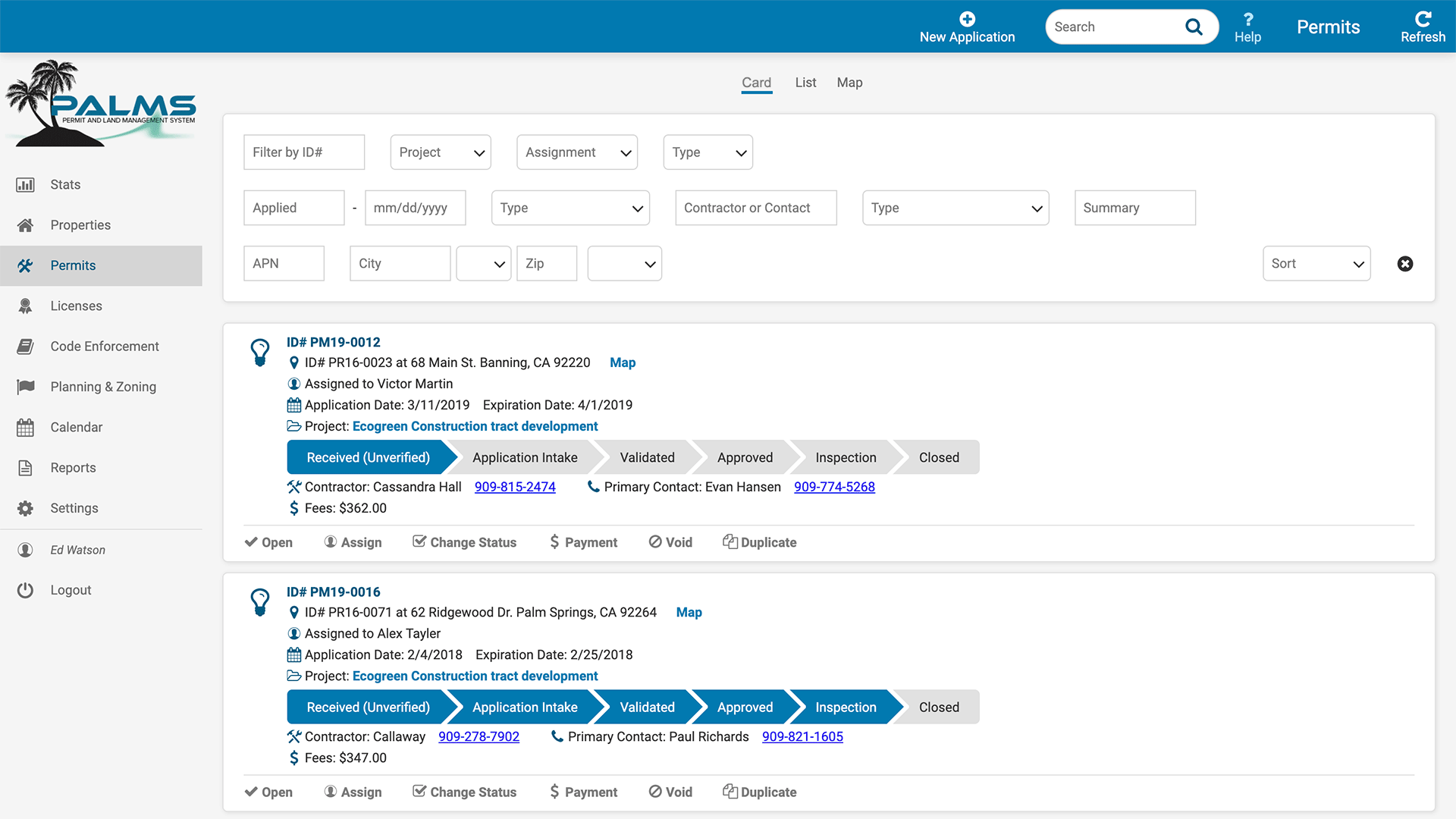
Card View - Permit Automation does not get any easier.
Most Systems include a MAP VIEW and a LIST VIEW, and these screens are sometimes called for, PALMS additionally offers CARD VIEW a powerful advantage to speed up permit processing and ease lookup and edit.
Users now have a fast mode of creating, editing, and locating permit records andf assocaited data. The CARD VIEW collects the summary details most important to the Permit Technician, here they can scan and update the critical day to day information for multiple records in a single user interface. The summary view allows users to see workflow progress, contact informations, critical dates all from a single group box.
Want to change the assignment ? To change the status, adjust fees, apply a payment or duplicate the permit record all from a set of functions right below the summary details. Nothing can be more user friendly.
Creating a new permit is quickly performed from the New Application button and principal data fields at the top of the screen.
Naturally PALMS features a INDEXED SEARCH FIELD, find anything in the system - including permits - just enter a keyword, name or record number in the INDEX SEARCH and click return.
Workflow Progress is graphically displayed - Permit processing has never been easier to visualize.
Links to project folder, other users and the property details are available as well.
Even more exciting the CARD VIEW data and layout is configured specifically for the Agency.
Next Generation Permitting and LMS
27475 Ynez Road #409 · Temecula, CA
V 213 440-5242
V 323 974-3309
© 2019 Inventuri Systems
All Rights Reserved